Out-of-stock items still sell
Wrong inventory stays invisible until an order comes in and you have to cancel it.
Now live on Shopify App Store
Retrace tracks orders, refunds, transfers, manual edits, and app-driven stock changes so you can spot mismatches before they become cancelled orders.
For Shopify merchants who have had to cancel an order because the inventory was not actually there.
Shopify says 3 units are available. Actual count is 0. Everything looks fine until an order comes in.
You fix the stock count, but it slips again. Shopify shows where inventory is now, but not how it got there.
Wrong inventory stays invisible until an order comes in and you have to cancel it.
Apps, integrations, and manual edits can change inventory in Shopify. Retrace makes those changes visible, so unexpected edits are easier to spot.
Shopify only keeps it for 180 days. By the time you notice a pattern, the changes you need to review may be gone.
Connect your store. Retrace tracks inventory changes as they happen. When stock levels move unexpectedly, you see it right away.
Each SKU gets a timeline for orders, refunds, transfers, manual edits, and app-driven changes. No more piecing the story together from orders, exports, and app dashboards.
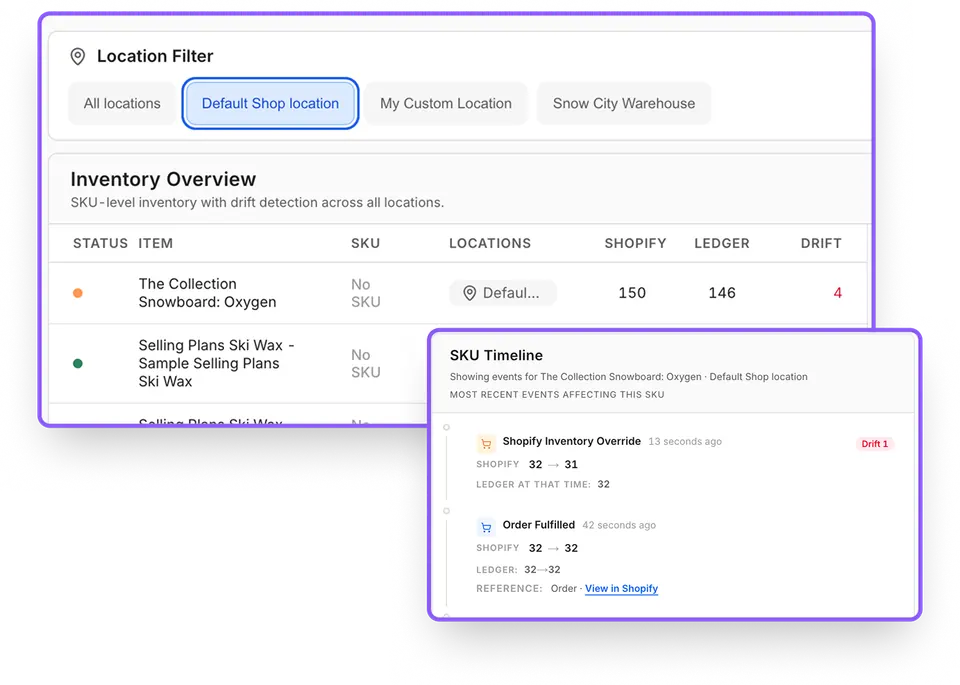
Retrace compares Shopify's current numbers against its own record of tracked changes. When they disagree, you see which products are off and by how much.
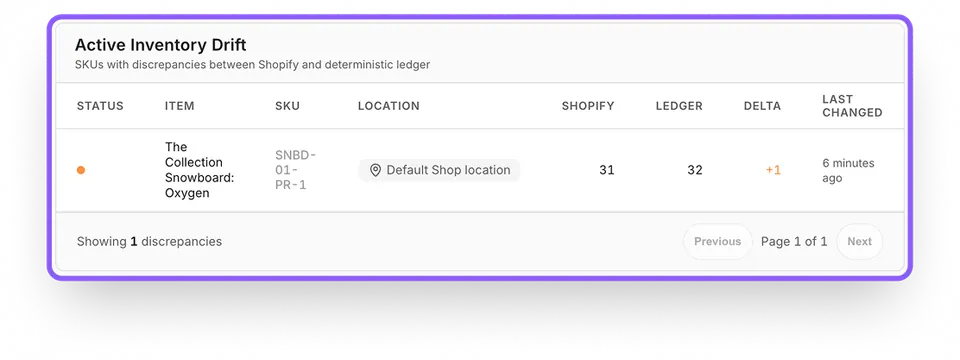
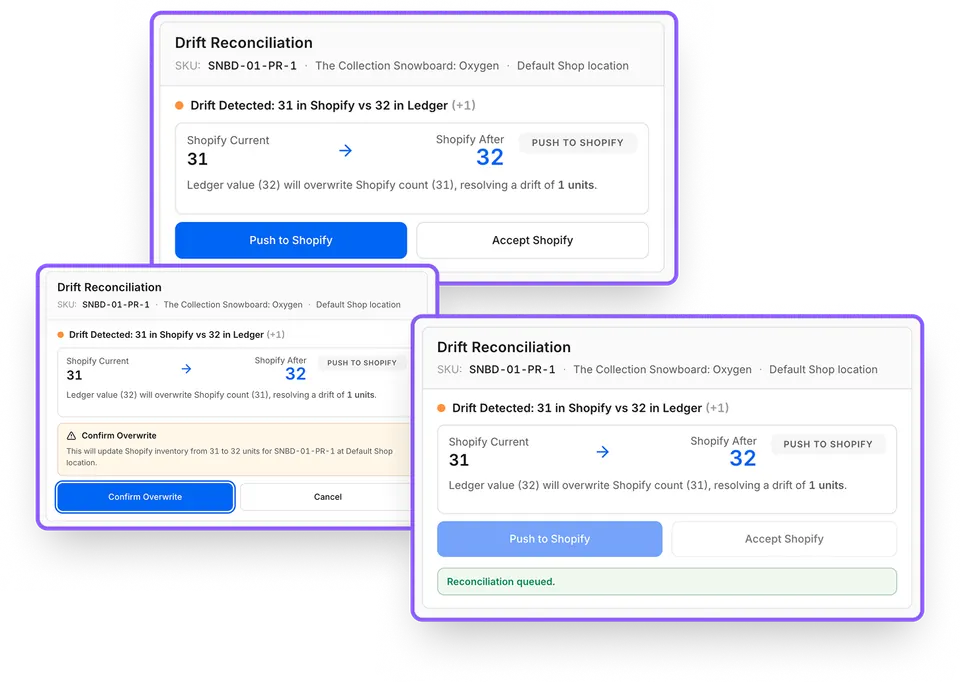
When a discrepancy appears, you can review the changes that touched that SKU, and then easily fix them in one click by accepting Shopify stock count or amending it directly from Retrace.
Most inventory tools do too much. They want to count, plan, sync, or replace half your stack. Retrace does one thing:
Catch when Shopify's stock numbers stop adding up.
If you cannot trust your stock levels, nothing else works.
If a customer has ever ordered something your store said was in stock but wasn't, Retrace helps you see where the count stopped adding up.
If your stock counts have been a little cursed lately, install Retrace and start tracking what changes.
No. Retrace works alongside Shopify. It helps you spot mismatches and review what changed.
Shopify keeps inventory adjustment history for 180 days. Retrace builds a longer record from tracked changes going forward and flags when Shopify's count stops matching that record.
Not only. Retrace is for Shopify merchants who keep running into wrong stock counts, cancelled orders, or unexplained inventory changes.
No. Retrace does not change inventory on its own. When a mismatch appears, you can review what changed and choose whether to accept Shopify’s count or overwrite it from Retrace. Every correction is recorded.
If wrong stock counts keep showing up in your Shopify store, try Retrace.